Dual Path Disaster Recovery

Microsoft 365 backup, on storage you control.

DPDR (Dual Path Disaster Recovery) backs up mailboxes, OneDrive, SharePoint and Teams to your own storage, encrypted before it leaves the server, and restores a whole mailbox, a folder, a file or a single message from any point in time. Run it on your own server, or have Dual Path host and manage it for you.

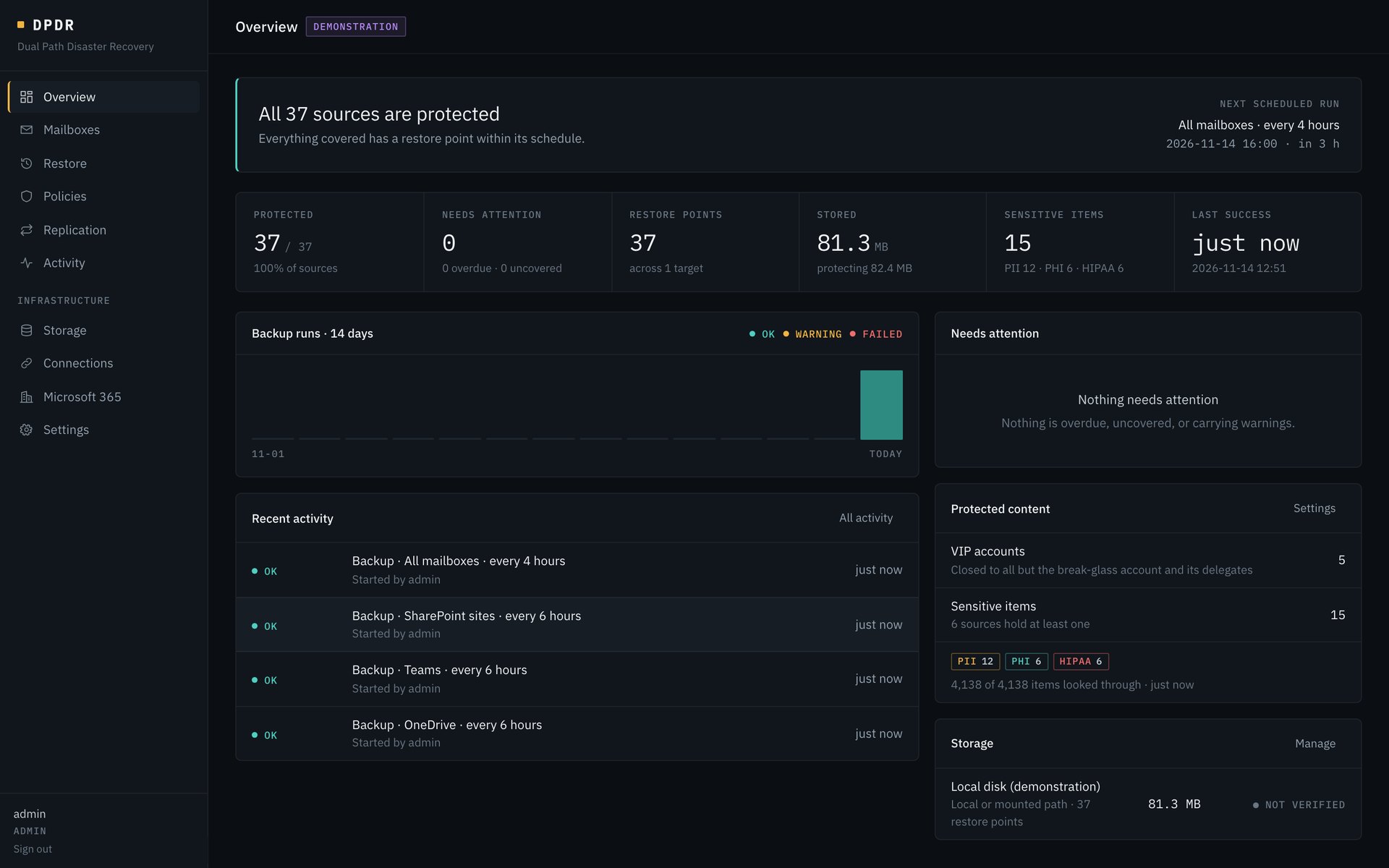
DPDR overview: all 37 sources protected, restore points, stored size, sensitive items found, recent backups of mailboxes, SharePoint, Teams and OneDrive, protected content and storage status

Screenshots show the DPDR console with demonstration data.

Deployment1 binaryNo external database, no remote assets
EncryptionAES-256-GCMSealed before upload, key held by you
BackupsIncrementalForever, after the first full pass
Microsoft 3654 workloadsMailboxes, OneDrive, SharePoint, Teams
Features

Back up, browse, restore, replicate and verify.

Mailboxes

Incremental forever, for user and shared mailboxes.

After the first pass, a run downloads only what changed. Unchanged and moved items are never downloaded again.

  • Microsoft Graph: mail, calendars and contacts
  • Exchange Web Services: byte-exact mail, In-Place Archive and Recoverable Items
  • Items that cannot be read are recorded and retried on the next run
  • Everything protected shows as protected, overdue or uncovered
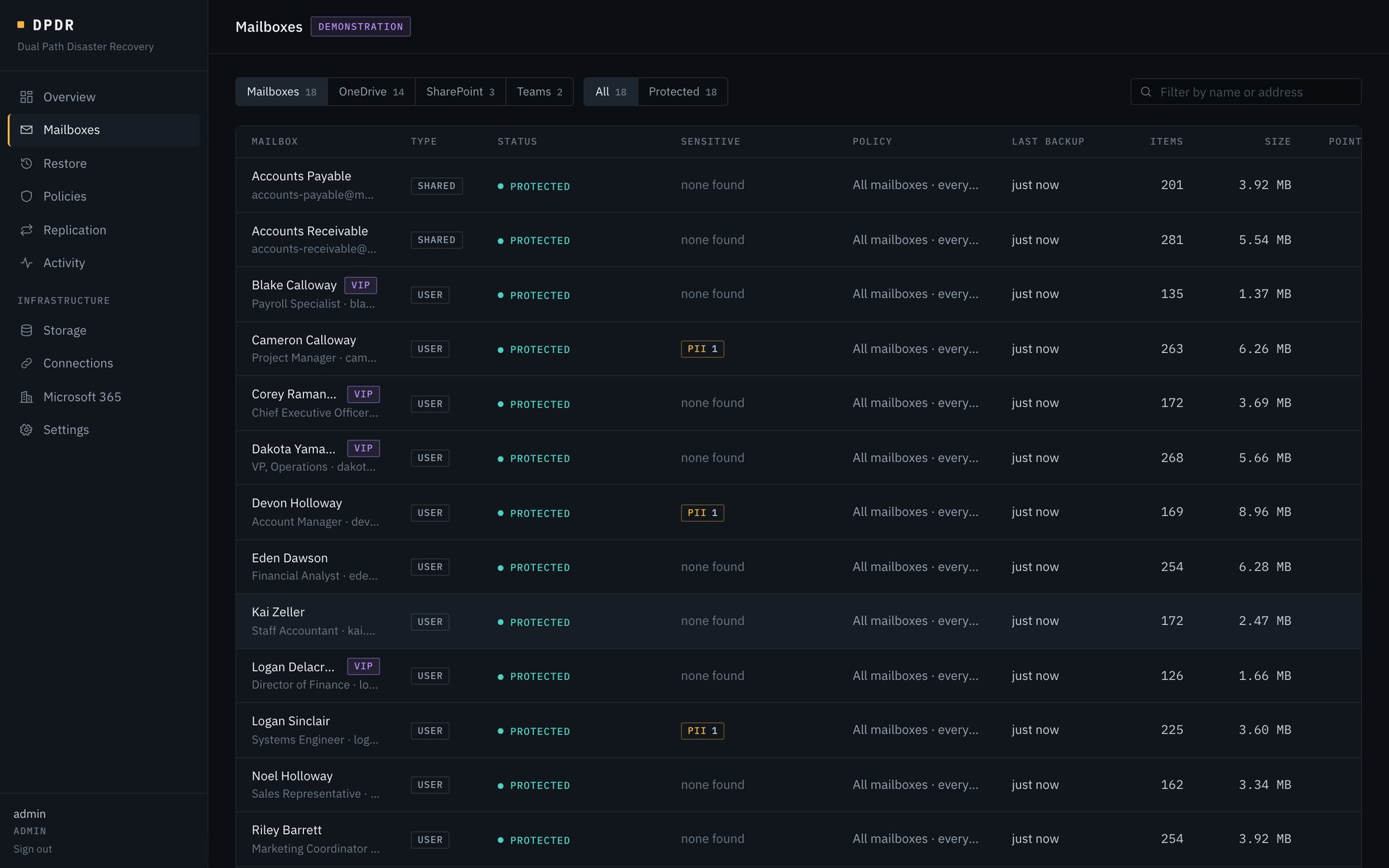
Protection list with tabs for mailboxes, OneDrive, SharePoint and Teams, showing each mailbox's status, sensitive findings, policy, last backup, item count and size
OneDrive, SharePoint and Teams

Files and conversations, in the same repository.

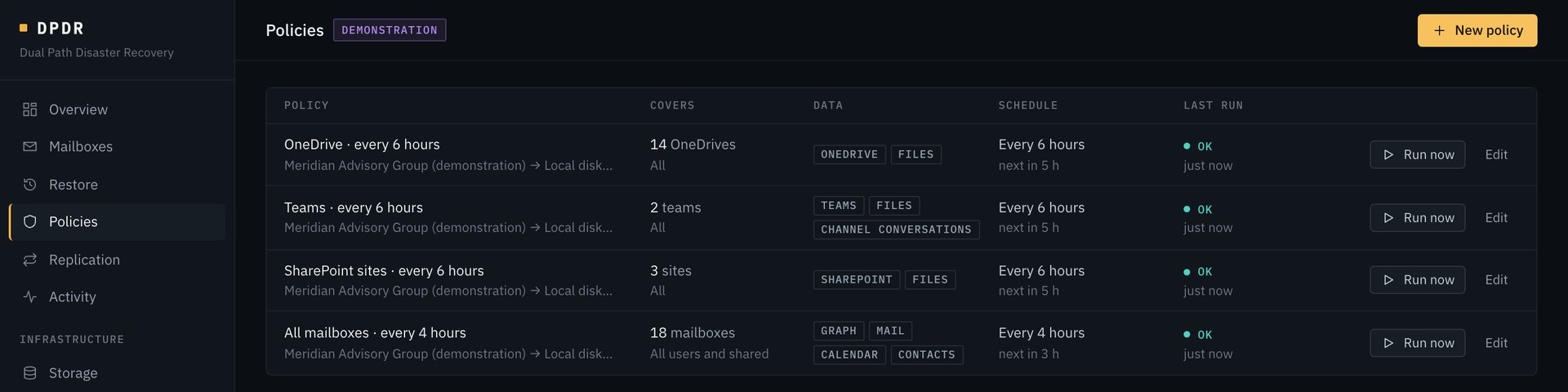
A policy covers one kind of source: mailboxes, OneDrives, SharePoint sites or teams. Each has its own schedule and retention, and all of them share one encrypted, de-duplicated repository.

  • OneDrive: the files in each user's drive
  • SharePoint: the document libraries of each site. Lists and pages are not included
  • Teams: each team's files and its channel conversations
  • An unchanged file is never downloaded again
  • A policy can honour the .gitignore files it finds, so build output and dependency folders are skipped
Four policies: OneDrive, Teams with files and channel conversations, SharePoint sites, and all mailboxes, each with its schedule and last run
Restore

Open a restore point and read it like a mailbox.

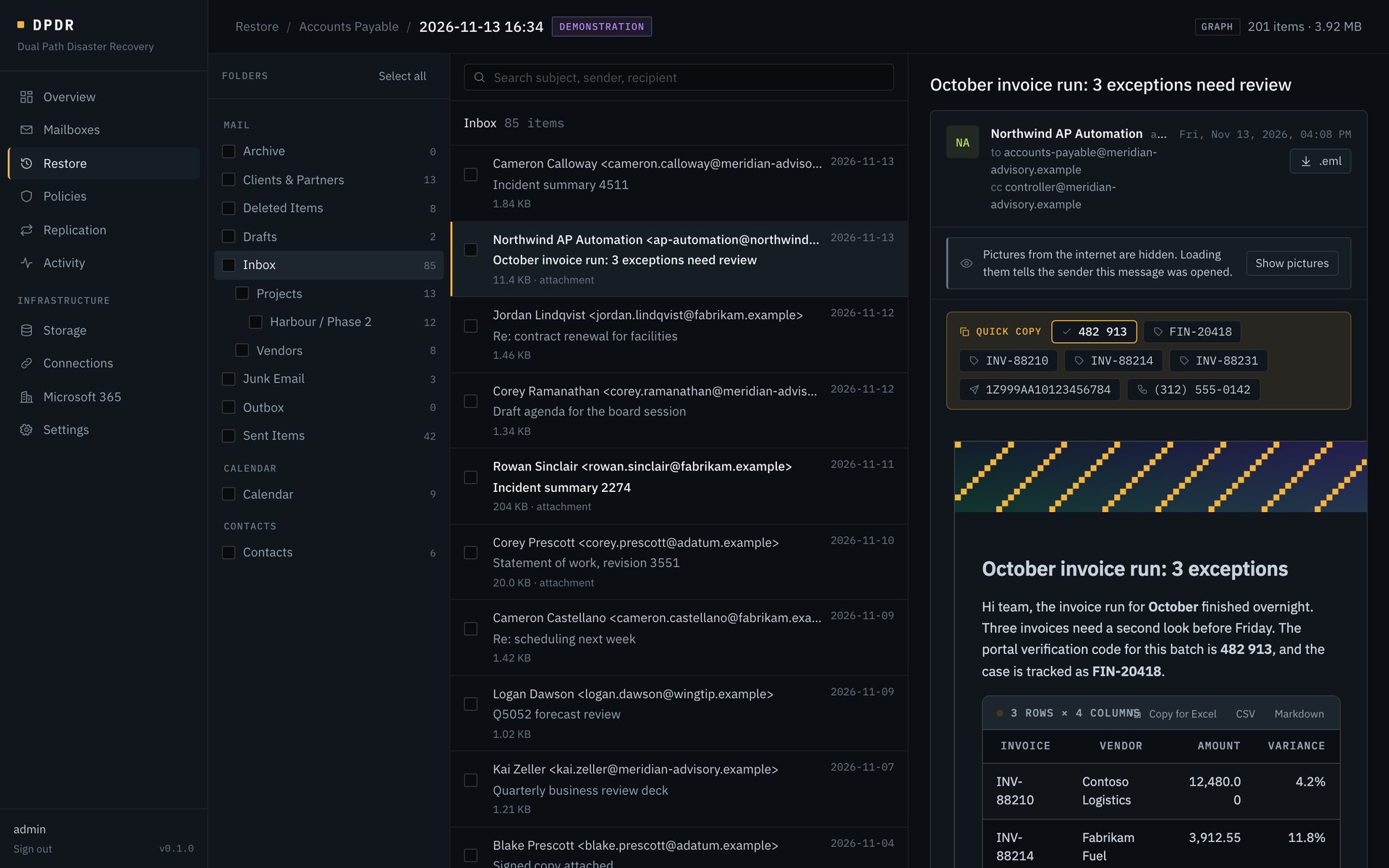
Pick a mailbox, drive, site or team, pick a point in time, then browse folders and search. Select what you need and restore it.

  • Restore a whole mailbox or drive, chosen folders or single items
  • Mail goes to the original mailbox or a different one, into the original folders or a separate folder
  • Files go back where they were or somewhere else in the tenant. A file that still exists is never overwritten
  • Or download a ZIP: messages as .eml, files under their own names
  • Restored meetings do not send invitations
  • Teams channel conversations can be read and downloaded, but Microsoft 365 does not allow them to be written back
Restore browser with folder tree, message list and a reading pane showing a backed-up message with a data table
Previews

See the file before you restore it.

Mail and files open in the console exactly as captured in the restore point, so the right version is found without restoring several.

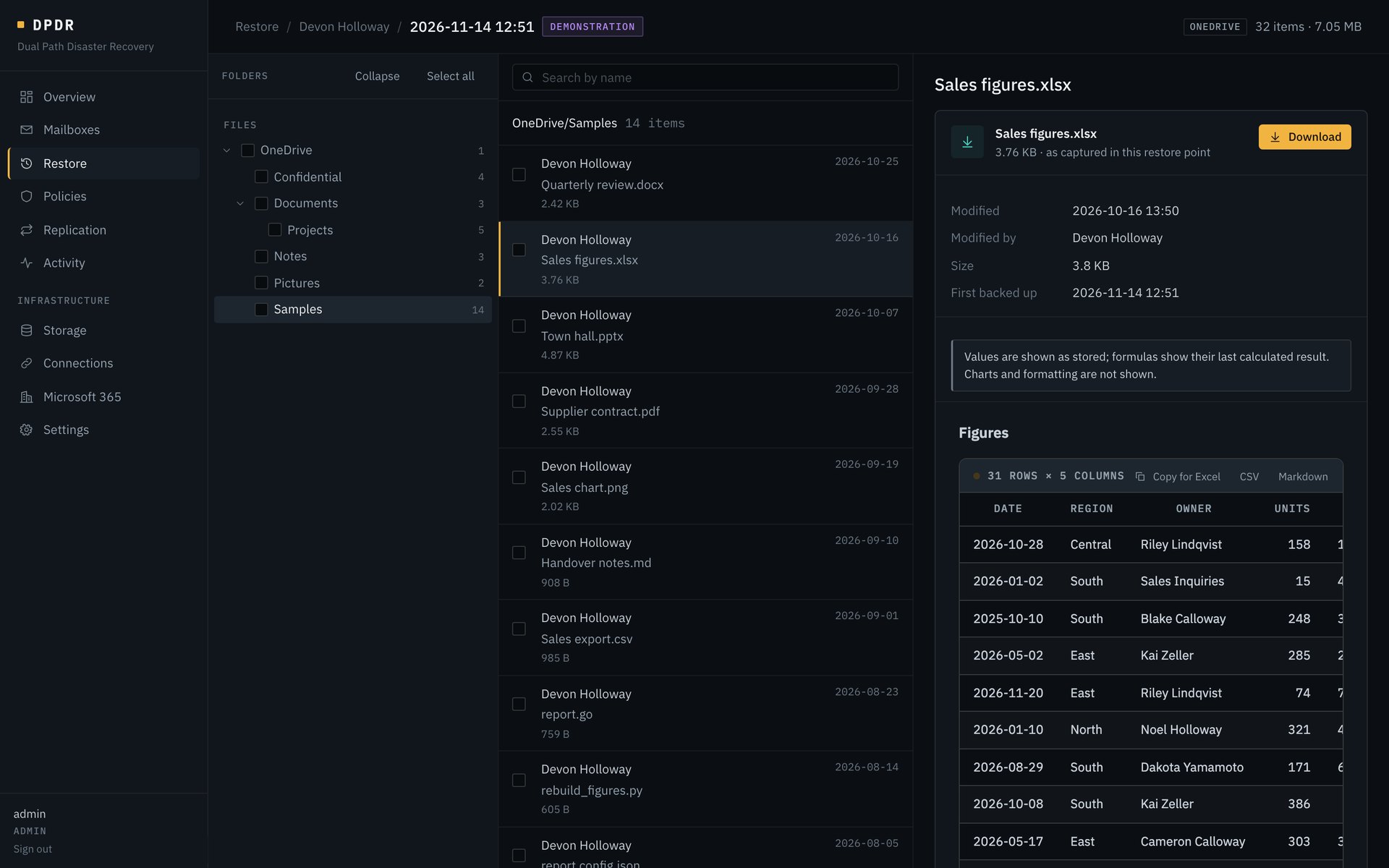
  • Word, Excel, PowerPoint, CSV and Markdown show as readable text and tables
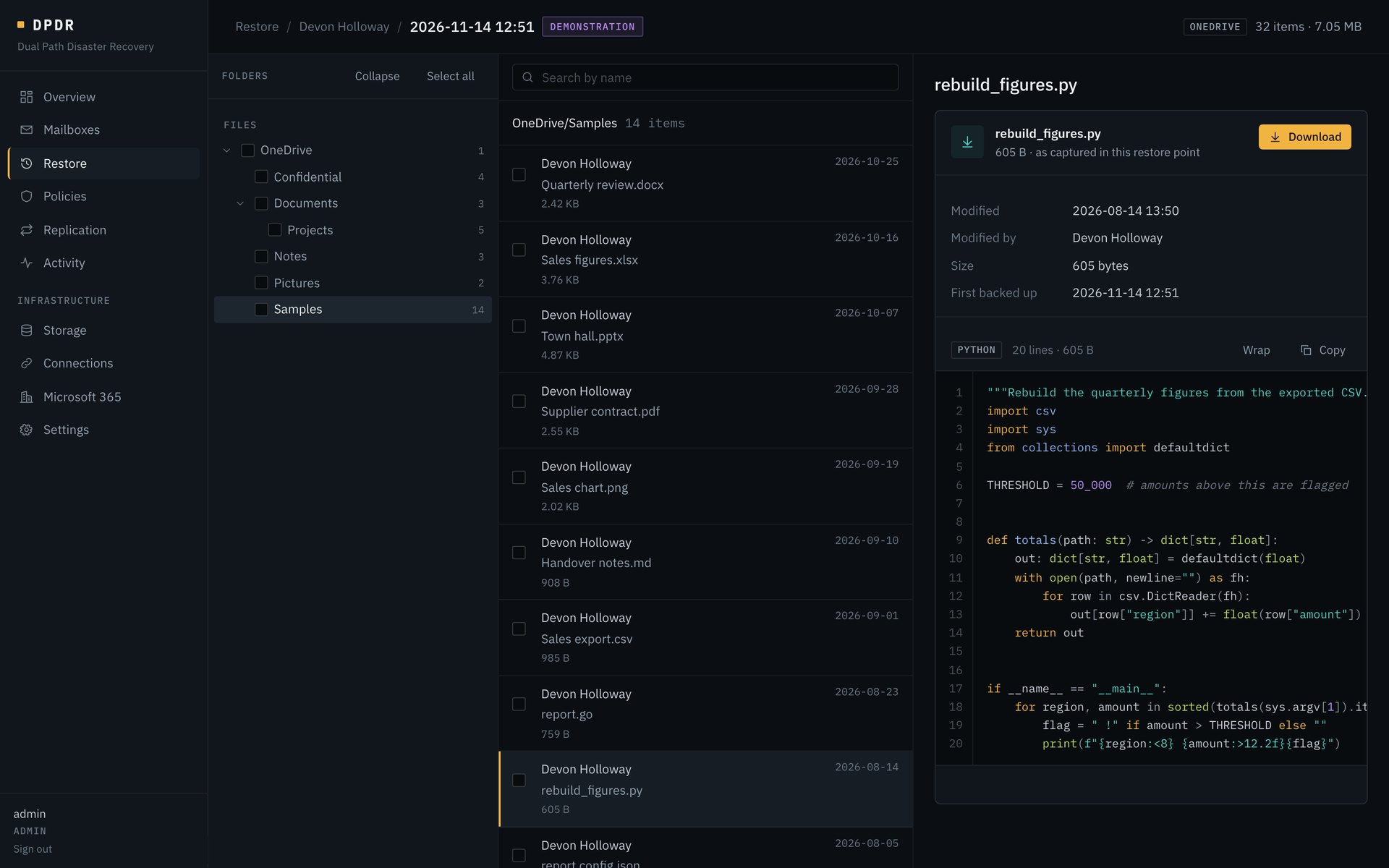
  • Source code and scripts show with syntax highlighting
  • Pictures and PDFs display in place
  • Tables copy straight into Excel, or as CSV or Markdown
  • Mail renders in a sandbox with no scripts, and remote pictures stay blocked until asked for
  • Mail attachments preview in place and download singly or as one ZIP
A OneDrive restore point with its folder tree and a spreadsheet previewed as a table A Python script from a OneDrive restore point previewed with syntax highlighting and line numbers
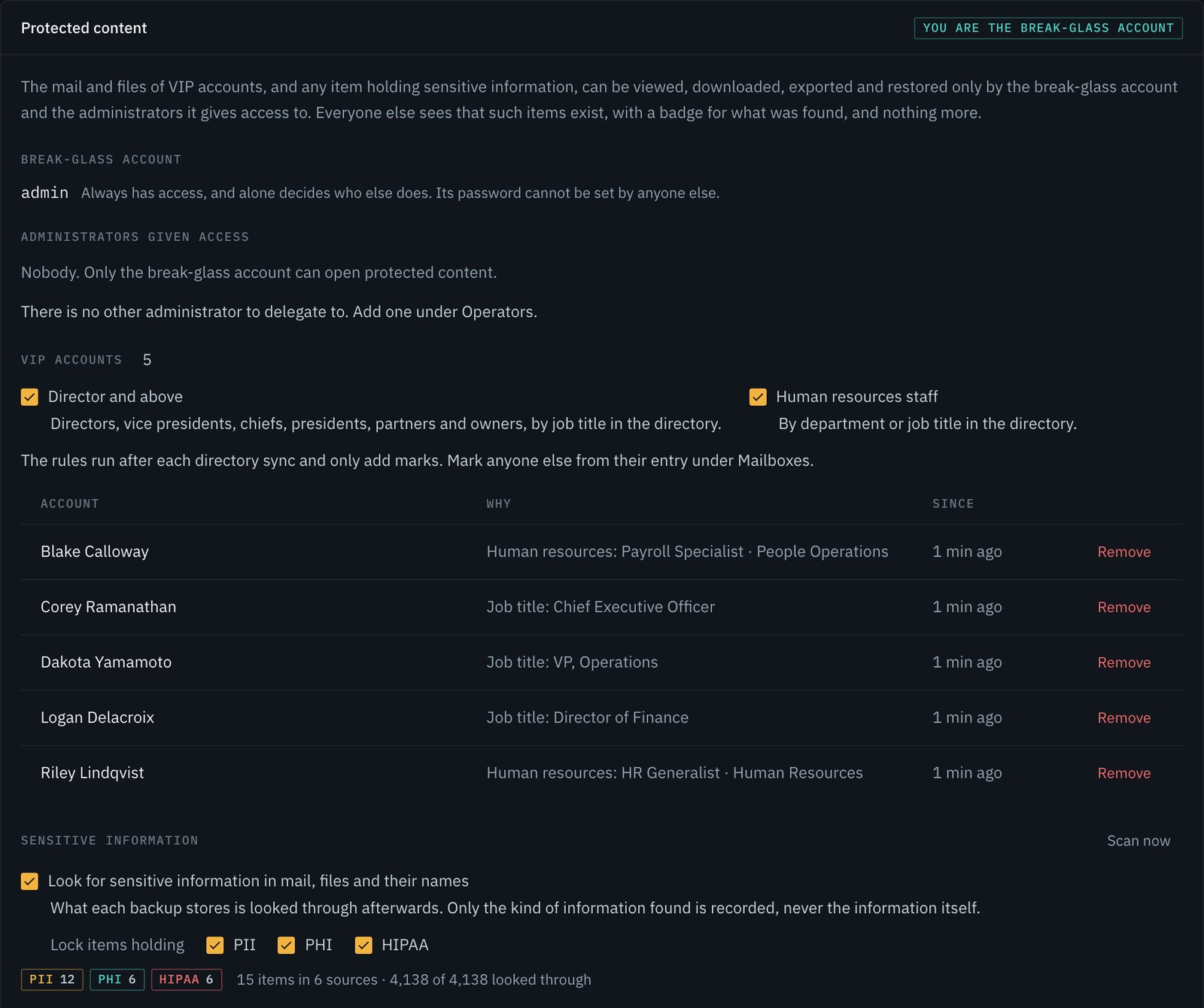
Protected content

Not every operator should read the chief executive's mail.

Two kinds of content are closed to operators who could otherwise browse and restore: everything belonging to a VIP account, and any item found to hold sensitive information.

  • One break-glass account always has access and alone decides which administrators share it
  • VIPs are marked by hand, or automatically from the directory: directors and above, and human resources staff
  • Backups are looked through for personal, health and HIPAA-governed information, in content and in file names
  • Only the kind of information found is recorded, never the information itself
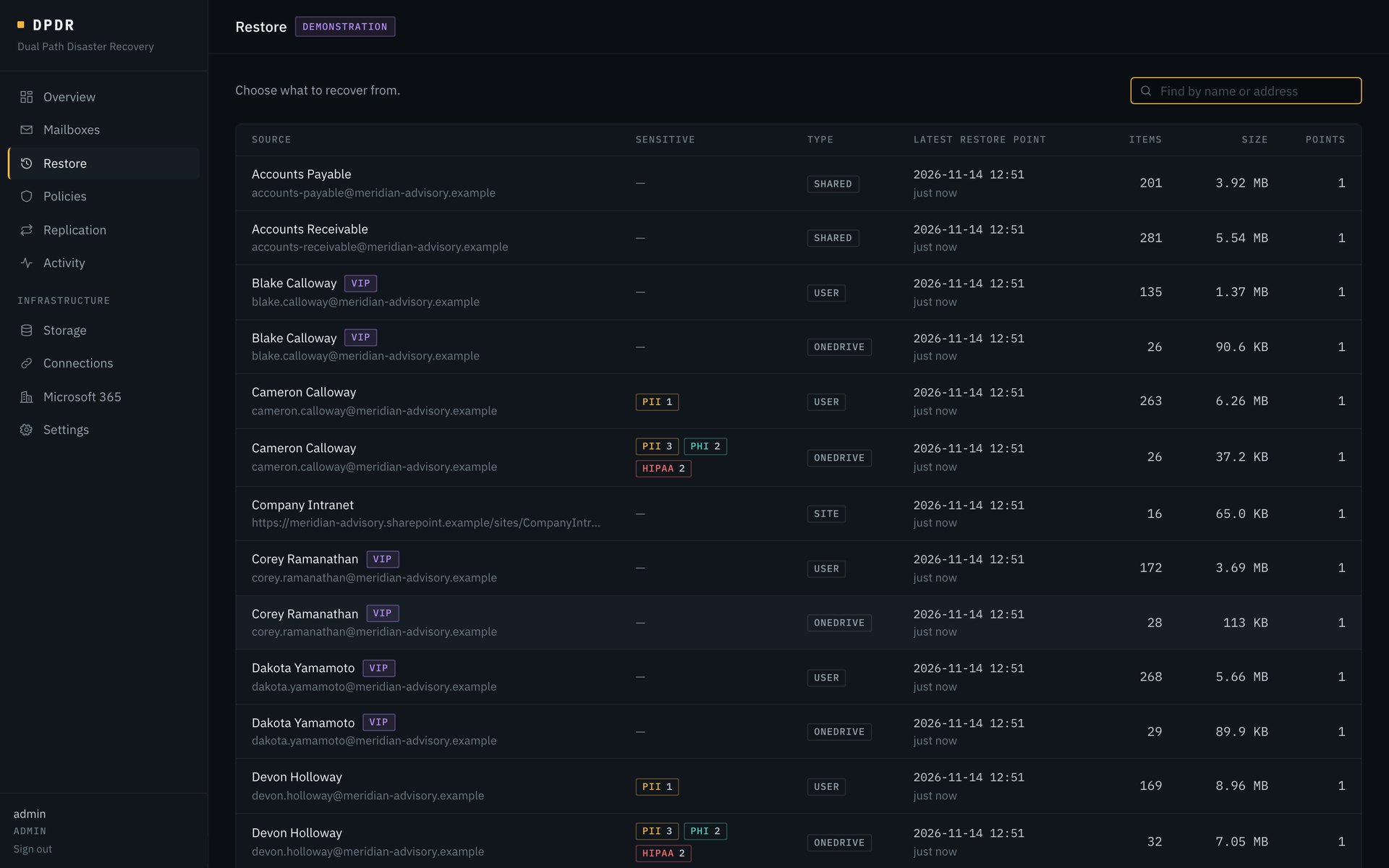
  • Everyone else sees that the item exists, with a badge for what was found, and nothing more
  • The lock covers viewing, downloading, exporting and restoring, and every opening is recorded
Protected content settings: the break-glass account, administrators given access, VIP rules and the list of VIP accounts with the reason for each, and sensitive information settings Restore list of mailboxes, OneDrives and sites, with VIP marks and badges counting personal, health and HIPAA findings
Storage

Your storage, set up for you if you like.

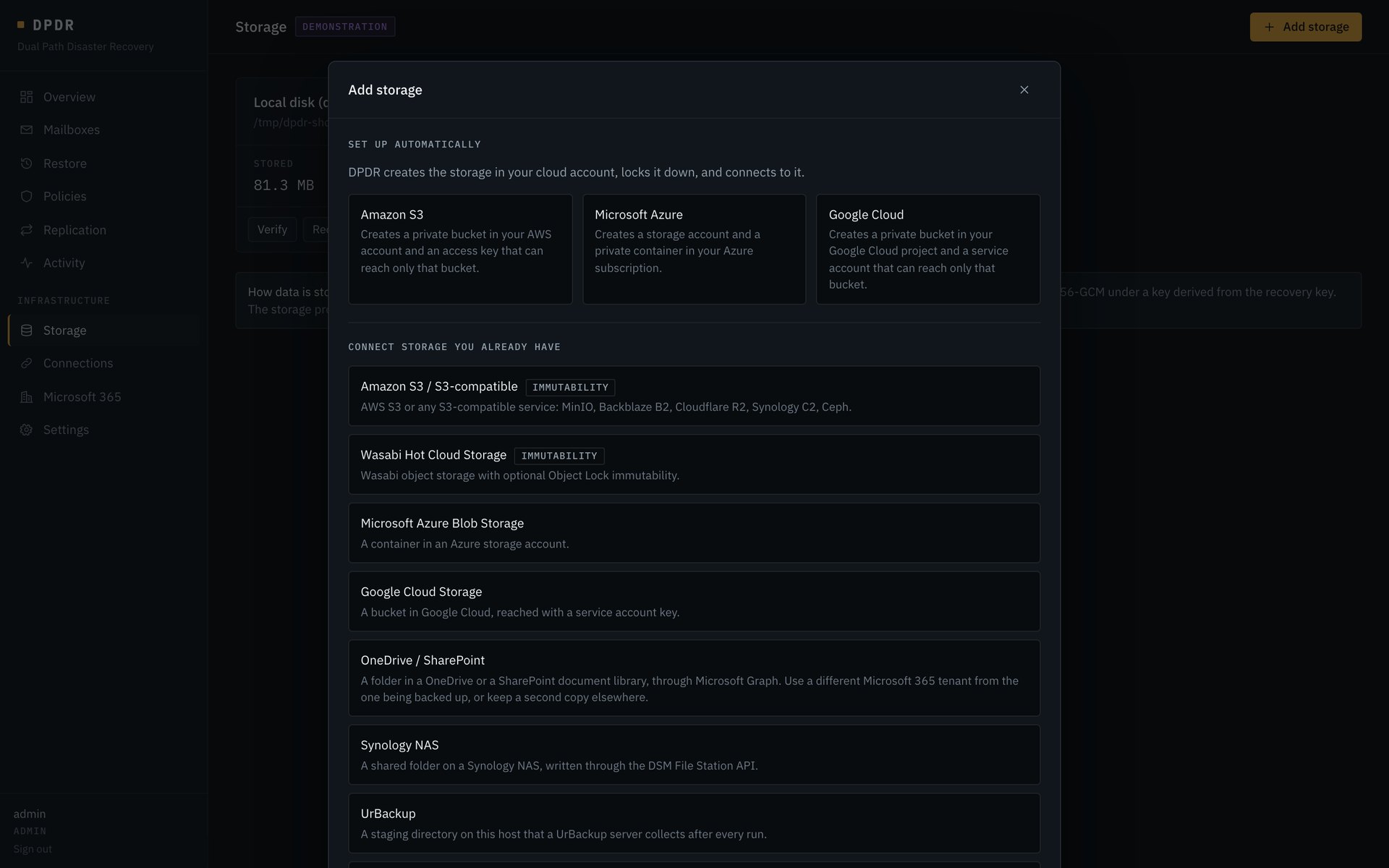
Backups go to storage you own. DPDR can create it in your cloud account, or connect to what you already have.

  • Automatic setup for Amazon S3, Microsoft Azure and Google Cloud: DPDR creates the private bucket or container, locks it down, and makes a credential that reaches only that storage
  • The administrative credential used for setup is never stored
  • Built in: Amazon S3 and compatibles, Wasabi, Azure Blob Storage, Google Cloud Storage, OneDrive or SharePoint in another tenant, Synology, UrBackup, local or mounted path
  • S3 and Wasabi Object Lock immutability is supported
Add storage dialog offering automatic setup for Amazon S3, Microsoft Azure and Google Cloud, and a list of storage kinds to connect
Connections

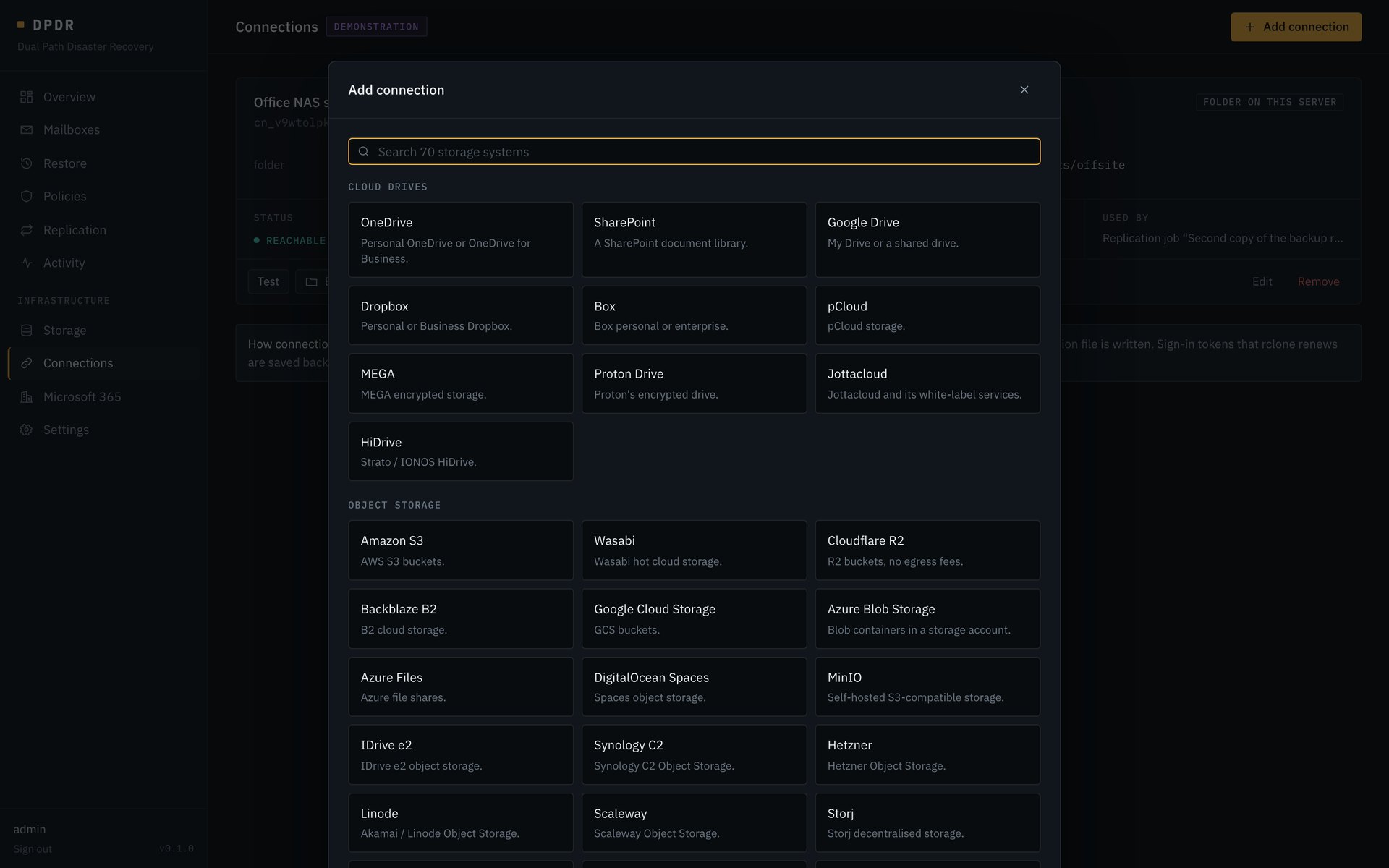
Seventy more storage systems, by name.

Connections reach everything else: cloud drives, object storage, file servers and NAS devices. They are the endpoints of replication jobs and can also back a storage target.

  • OneDrive, SharePoint, Google Drive, Dropbox, Box, Backblaze B2, SFTP, SMB, WebDAV and more
  • Credentials are sealed in DPDR's database and never written to a config file
Add connection dialog listing cloud drives and object storage systems to choose from
Replication

Keep a second copy somewhere else.

A replication job copies, mirrors, snapshots or moves data between any two connections on a schedule. Preview shows what a job would change before it runs.

A storage target can be the source, so the backup repository itself gets an offsite copy. That copy opens with the same recovery key.

A job can verify its destination against the source after every run, or on demand, and reports any file that is missing or different.

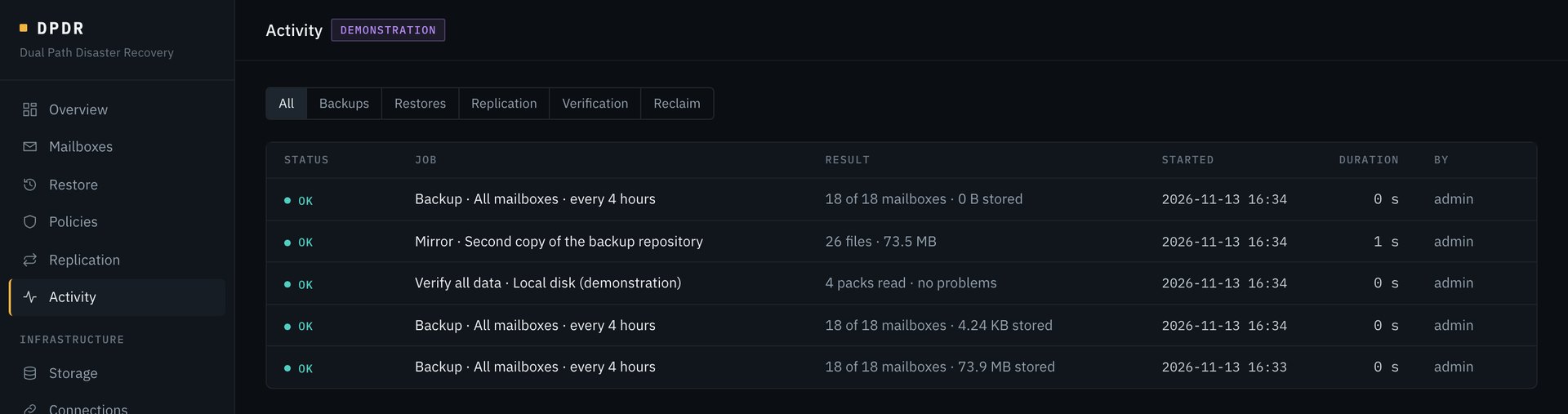
Replication job mirroring the backup repository to offsite storage daily at 02:00, last run OK Activity list showing backup, mirror and verification jobs with results, start time and who started them
Operators and sign-in

Named operators, three roles, your directory.

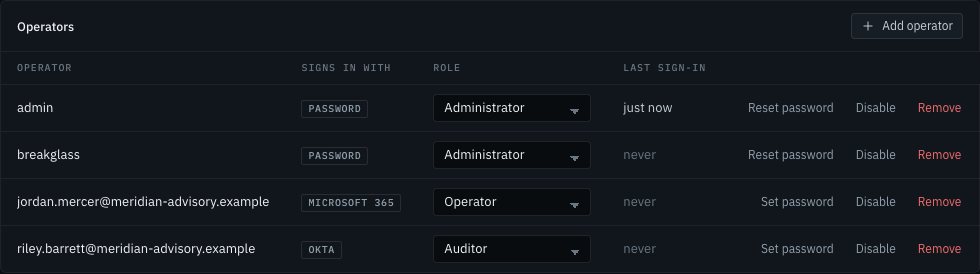
Operators sign in with Microsoft 365, Okta or a password kept by DPDR. Each has one of three roles, enforced by the server on every request.

  • Administrator: everything, including connections, storage, policies and operators
  • Operator: runs backups and restores, and can open restore points, except protected content
  • Auditor: sees status, history and the audit trail, never mail or file contents
  • A directory operator is tied to one exact directory account at first sign-in
  • A directory operator can also hold a password, as a way in when the directory is down
Operators list with four operators, how each signs in (password, Microsoft 365 or Okta) and each one's role
Alerts

Told in the channel your team already watches.

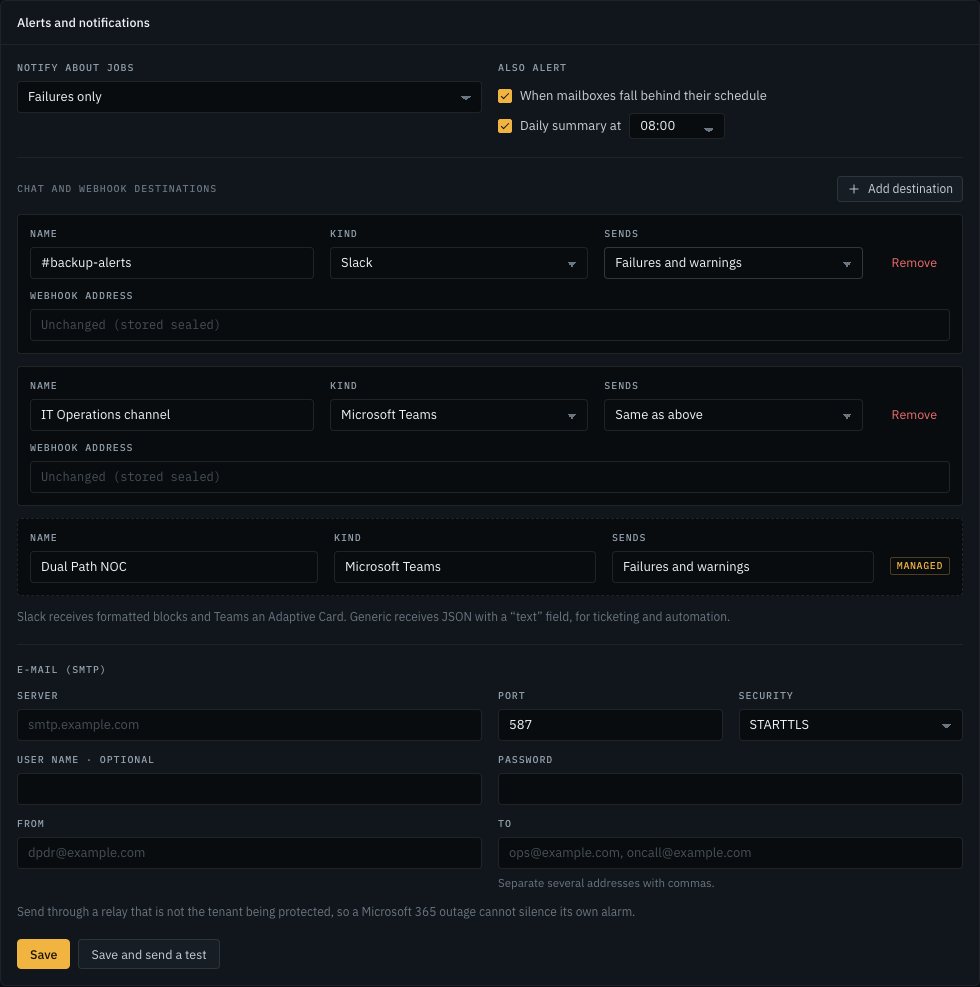
Alerts go to Slack, Microsoft Teams, any webhook, and email. Each destination chooses how much it hears.

  • Slack receives formatted blocks; Teams receives an Adaptive Card
  • Job failures, warnings or every job, per destination
  • An alert when anything protected falls behind its schedule, which no single failed job announces
  • An optional daily summary
  • Webhook addresses are stored sealed and never shown again
Alerts settings with a Slack destination, a Teams destination and e-mail settings
Retention

Keep what policy requires

Keep the last N restore points, a number of days, or daily, weekly, monthly and yearly points, per mailbox, drive, site or team. Reclaim space when points expire. S3 and Wasabi Object Lock is honoured.

Verification

Prove the backup is readable

Check the repository's structure, a sample of the data, or every stored byte. The result and its date show on the storage target.

Throttling

Stay out of the working day

A policy can cap how fast it downloads and confine scheduled runs to a window, such as 19:00 to 06:00. A run that reaches the end of its window finishes what it started and leaves the rest for next time.

Audit

Every access is recorded

Restores, exports, each item viewed and each recovery key disclosure are written to an audit trail with the operator's name.

Console security

Nothing loads from outside

The console fetches no remote assets, so it works on an isolated network. Sign-in is rate limited, and tenant and storage credentials are never returned by the API.

Upgrades

The database upgrades itself, with a copy kept

A new version brings its own schema changes and applies them at start. The database is copied aside first, and a database from a newer version is refused rather than damaged.

Demonstration mode

Try it without a tenant

dpdr serve --demo starts a simulated tenant with mailboxes, OneDrives, SharePoint sites and teams, and mail that keeps arriving, so every screen and job can be exercised safely.

The recovery key

The storage provider sees opaque objects. Only the key opens them.

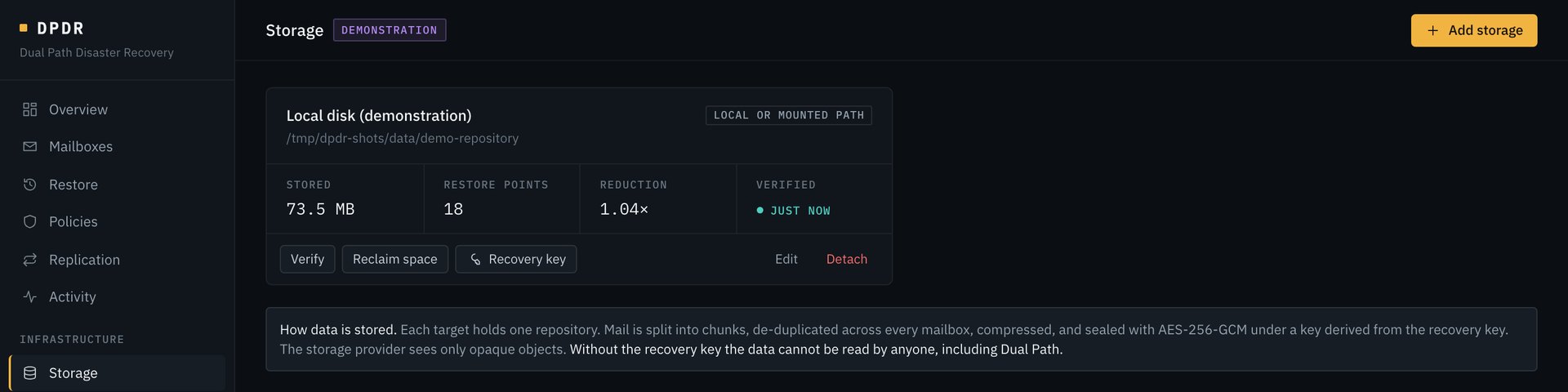
Mail and files are split into chunks, de-duplicated across everything backed up, compressed, and sealed under a key derived from a recovery key. The recovery key is shown once, when the repository is created.

  • Lose the DPDR server: a fresh install attaches the repository with the storage settings and the key
  • No install at all: the dpdr recover command lists and exports restore points directly from storage
  • Without the key, nobody can read the data, Dual Path included
# recover with nothing but the binary, the storage settings and the key
DPDR_RECOVERY_KEY=XXXX-… dpdr recover --kind s3 --config s3.json list
DPDR_RECOVERY_KEY=XXXX-… dpdr recover --kind s3 --config s3.json \
    export --snapshot ID --out mailbox.zip
Storage target showing stored size, restore points, data reduction and verification status, with Verify, Reclaim space and Recovery key actions

Showing a recovery key again requires the operator's password and is audited.

Deployment

Your server, or ours. The same product either way.

DPDR is one program with no external database. Where it runs is a choice about who looks after it, not about what it can do.

Self-hosted

On your own server

Install DPDR inside your network, point it at your storage, and run it with your own operators. Dual Path licenses it and can keep an eye on its health if you want that.

Managed

Hosted by Dual Path

Dual Path runs the server, watches the backups, responds to alerts and carries out restores on request. Your storage can still be your own.

Either way

Your data stays yours

Backups are sealed with a recovery key before they reach storage. Whoever holds the key can read them back with a single command, with no DPDR server and without Dual Path.

Roadmap

What comes next.

These are in development or planned, and are not available yet. The order may change.

In developmentFinding and reading
Search across restore pointsFind a message or file without knowing which mailbox, drive or day it was in.
Office previews for mail attachmentsThe document, spreadsheet and slide previews that files have, for attachments too.
SharePoint lists and pagesAlongside the document libraries that are protected today.
PlannedRecovery assurance
Scheduled restore testsAutomatic sample restores with a report, so recoverability is proven on a calendar.
Unusual-change alertsA warning when a mailbox or drive suddenly loses or rewrites far more than normal.
Legal holdPin restore points so retention cannot remove them.
Archive mailboxes in Exchange OnlineIn-Place Archive and Recoverable Items without Exchange Web Services.
PlannedEasier to live with
Guided onboardingA consent link that sets up the Microsoft 365 connection, in place of registering an application by hand.
Protection reportsA scheduled report of what is protected and what was restored.
Service desk ticketsFailed or overdue backups open a ticket instead of only sending a notification.
Self-service restoreLet a user recover their own mail and files, with every access audited.